Enquiries Original product screen
Take the lead. Keep the history.
Waiting for you, then in hand: take it, contact, quote, won or lost. The buyer's number unmasks when you take it.
Your enquiry history, in one room.
Your page on the register. Your enquiries with the buyer's number. Your prices and stock where the buyer is reading.
Claim the business you run. Enquiries reach your phone, and your page answers for you when you are on the floor.
Not listed? Add your business ↗

Your business details, reviews and the information you publish.
Browse dealer pagesA new-vehicle showroom and a used yard do different work. A business that does both sees both. Mechanics, tyre and parts shops have a place here too.
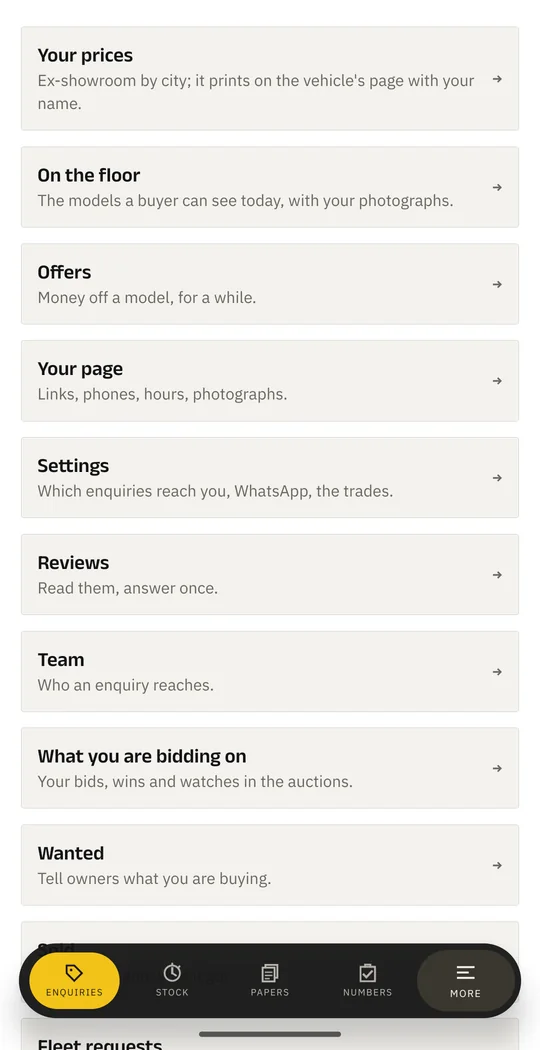
Your prices, your floor, offers and enquiries.
Explore showroom rooms 02Stock with the new price beside it; wanted and the auctions.
Explore yard rooms 03One sign-in, with rooms for both trades.
Explore the shared desk 04A page on the register, reviews and enquiries.
Explore business roomsA showroom sees prices, the floor and offers. A used yard sees stock, wanted and the auctions. These are original Dealer Desk screens, not a simulated account.
Enquiries Original product screen
Waiting for you, then in hand: take it, contact, quote, won or lost. The buyer's number unmasks when you take it.
Your enquiry history, in one room.
Offers Original product screen
Model offers, with a period attached. Keep the offer and the vehicle together instead of leaving an undated poster behind.
Offers and campaigns open when the business is verified.
Numbers Original product screen
Enquiries and how they went, the footfall on your page, your standing: papers, answers, complaints.
No enquiry counts, response times or results are recreated here.
Reviews Original product screen
Read the reviews attached to your business and put your answer beside them. Your public page and your private desk stay connected.
Claiming a page includes replying to reviews; it does not make the business verified.
Prices Original product screen
A pricing view for the new-vehicle showroom. Your price on the buyer's vehicle page opens when the business is verified.
Publishing a price and verifying a business remain distinct steps.
Showroom Original product screen
What a buyer can see at your showroom today, beside your prices and quotes.
A captured product screen, not a claim about your available stock.
Quotes Original product screen
Quote the fleets buying near you, from the same desk as your prices and your floor.
This tour does not create a quote, contact a buyer or change a price.
Stock Original product screen
Used stock with photographs and your asking price. The register supplies the new price of the same model beside it.
Used vehicles listed for sale under your name open when verified.
Sold Original product screen
What went, and for how much, in its own room beside the stock.
No sales amounts, dates or business results have been invented.
Wanted Original product screen
Say what you are buying; owners with a matching vehicle see it, and so does the fleet desk.
The auctions are part of the used-yard offering too.
Room grouping is for this tour. Your desk follows your business's trades and verification state. No enquiries, buyer details or sales numbers are recreated.
Anyone who claims a page can run it: edit the details, answer enquiries and reply to reviews. Reaching a buyer's decision has a separate verification step.
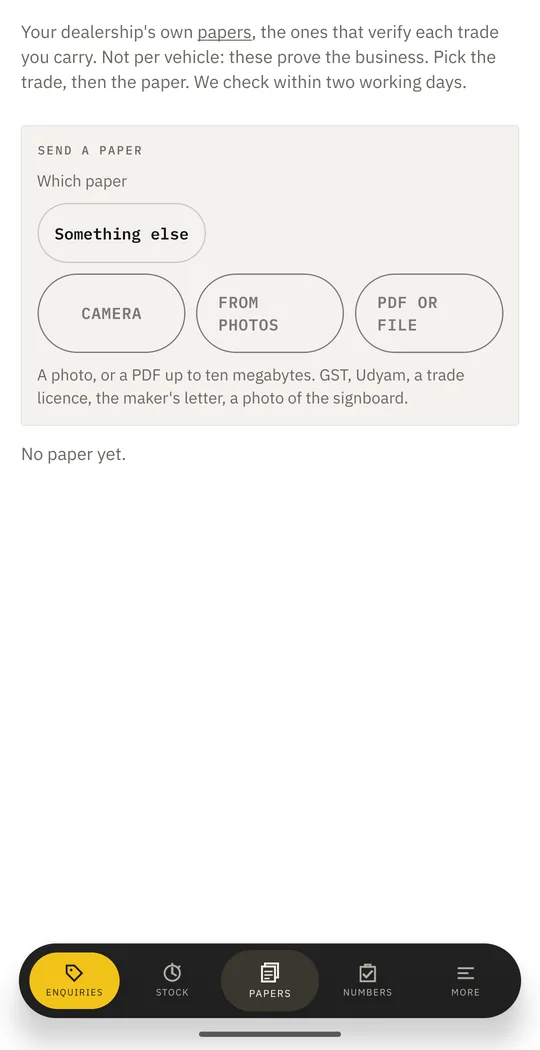
Establish your connection to the business, then work from the same identity buyers find on the register.
Your price on the vehicle pages a buyer is reading
When verifiedYour stock shown as available near them
When verifiedYour used vehicles listed for sale, with your name
When verifiedOffers on models, and campaigns
When verifiedThe verified mark on your page
When verifiedDocuments stay private, every read is recorded, and a refused document is deleted. The claim flow names the documents that fit your trade.
Find your business on the register, tell us who you are, and the desk opens. Papers take the trade to verified.
Find your businessMost dealerships are already on the register, listed from the maker's own dealer locator. Search your name or your PIN code.
RegisterTell us who you are and how you are connected to it. We check, usually the same day.
IdentityRegistration, a licence, the maker's letter, or photographs of your yard. They stay private and are never shown to a buyer.
VerificationAnswer enquiries, post your prices, list your stock, and see who is reading your page.
DeskNot listed? Add your business
Already claimed? Sign in to the desk
Enquiries, stock and prices. The same sign-in.
Use the Dealer app when you are away from the counter. The browser desk stays another way back to the same business.
A direct download until the Play listing is up; allow installs from your browser when your phone asks.
Your place on the register should be understandable. So should the boundary between Truckaurbus and your business.
Documents go to a private store, are shown to nobody but you and our desk, and every read is recorded. A document we refuse is deleted.
Paid reach exists and is always labelled sponsored. It never quietly outranks a better answer.
No money moves through Truckaurbus. Your price remains your price, and the sale remains yours.
Find the existing listing first. Add a new business only when it is not already on the register.